

How can you do better research? Work with AI faster? Create great images and videos? Build software to fulfill your everyday needs? Create a company of bots working for you? This is what I want to help you learn today, by sharing how I do it.
I’m figuring out these things as I go, so it’s a super practical guide to what I do, so you can do it yourself, starting from zero knowledge. Since many of you are probably learning the same things, please share in the comments any improvement, advice, or tip you have, so we can all get better together. Many of you will, in your areas of expertise (or just by playing), be much more advanced than I am. That’s great! The rest of the readers and I would love to learn from you! Share your tips!
1. Articles Research
ChatGPT
ChatGPT is my main partner here. I pay the $200/month subscription, and I have never yet run out of credits, despite having a dozen conversations with it a day, sometimes very long ones. You probably don’t need to spend as much if you don’t spend hours researching topics every day, but you do want to pay something for it because otherwise you don’t get full access to the most important feature: the level of intelligence.
Thinking Level
Whenever I talk to somebody who’s underwhelmed by ChatGPT, the first thing I ask them is: “What level of intelligence are you using?”. The answer is virtually always the same: ”What are you talking about?”

The Thinking Effort is the biggest drive of intelligence.
Instant is like asking a knowledgeable person to blurt out the first thing that pops into their mind. It’s OK for something quite quick and well-known, but it will fail if the knowledge is niche, recent, or requires some thought for a human.
Conversely, Pro is for when you need something very thorough, with lots of sources, where the AI reasons through its arguments heavily, discusses the question with itself, doesn’t take things at face value, and reaches several layers of depth in its answers. It’s like asking the same person as before to take a week to think about the project before coming back and presenting it to a committee.

Most people use Instant, but should try others. The more you use different levels of thinking, the better a sense you’ll get of which one to select for any given query. For example, if I want to know something well known but for which there’s still a lot of debate amongst humans, I’ll ask for a bit more thinking. Or if the topic is a bit niche.
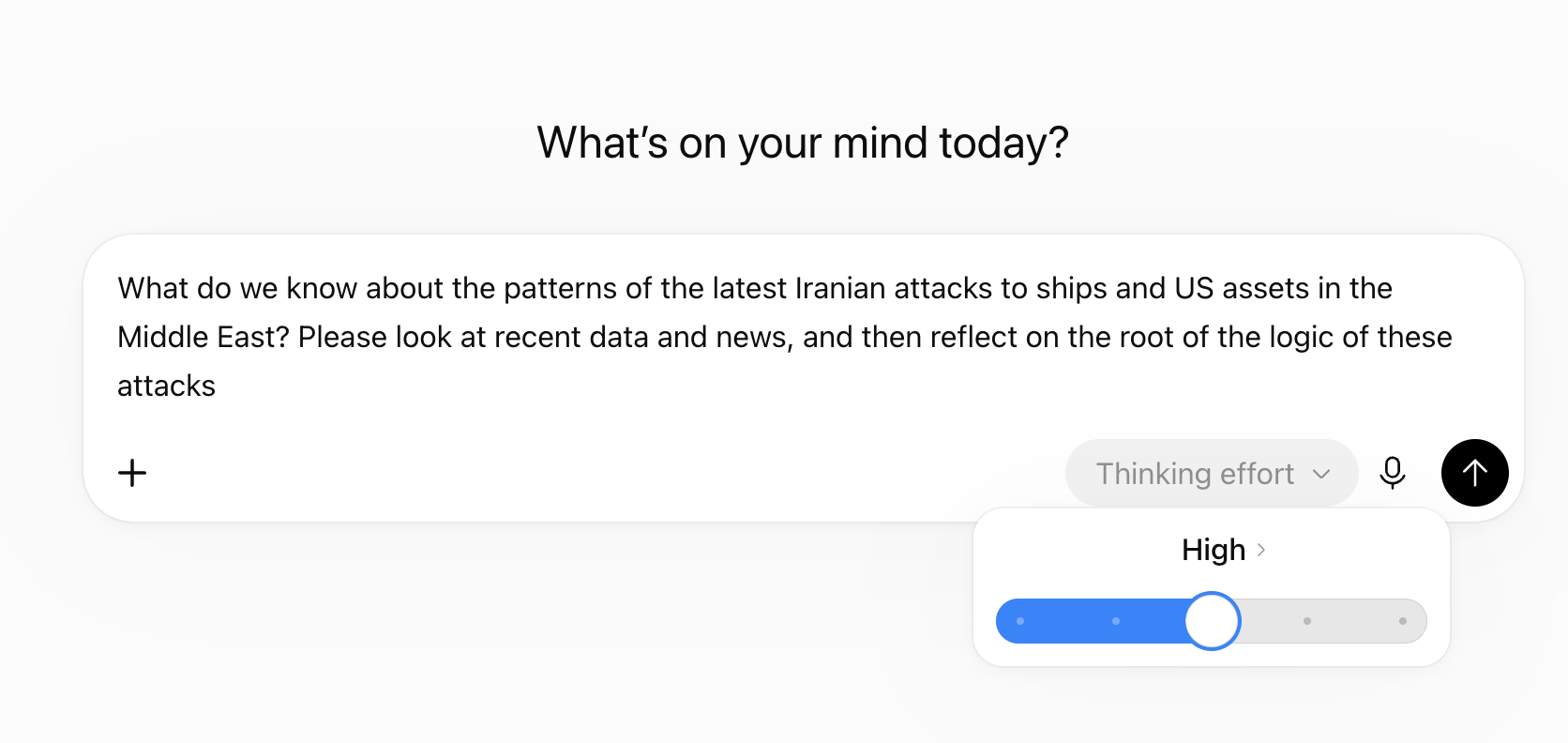
The other key way to extract good research is with the depth of a prompt.
Prompt Depth
I frequently write prompts that are longer than other people’s articles. This is one for the article Will AI Save France from Bankruptcy? I’m adding it not so you read it, but so you can get a sense of how long they can get.
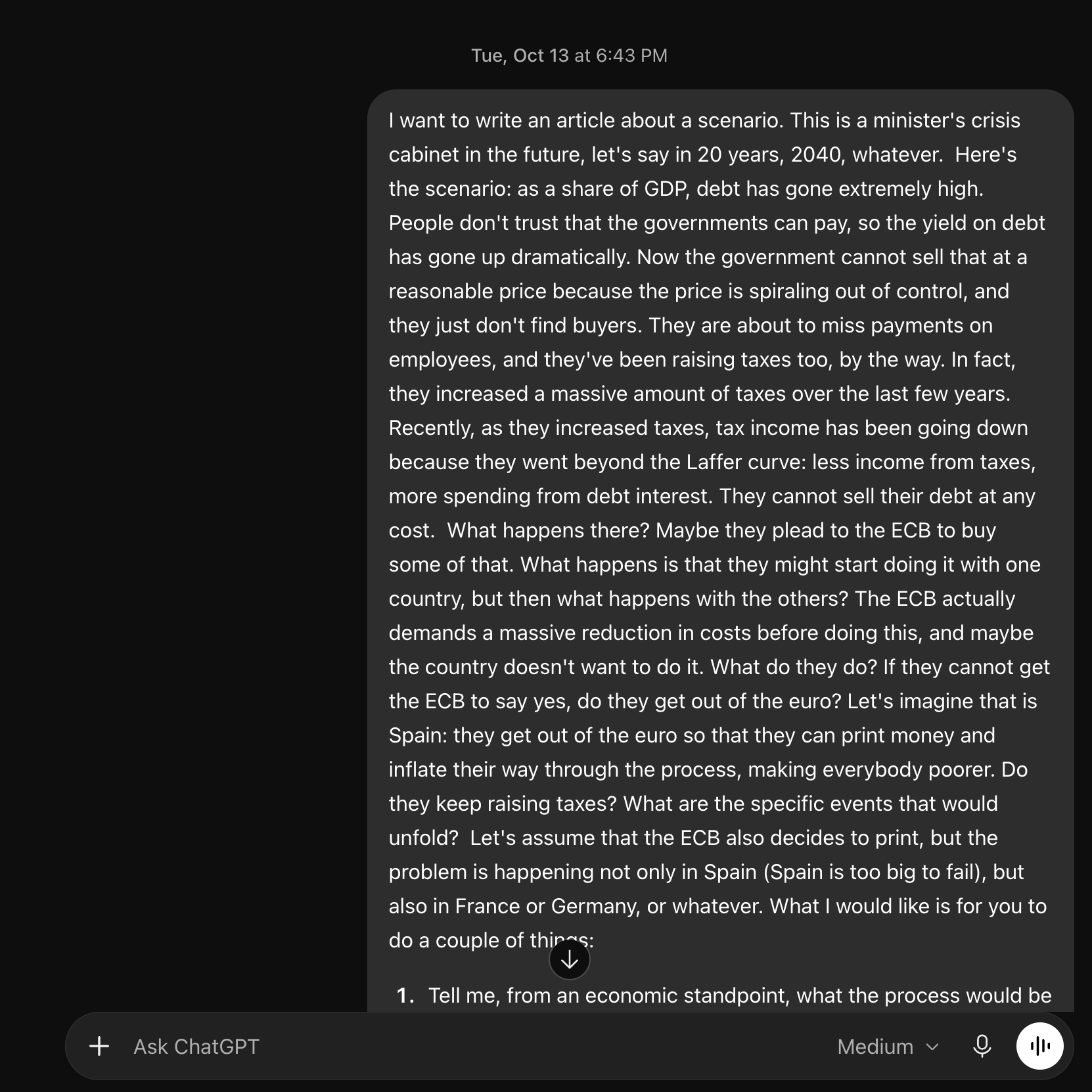
AIs are actually quite good at understanding your intent, but the more information you give them, the more you prime them in the right direction, the better they answer what you need.
Don’t Ask Questions, Ask How to Ask Questions
One way you can harness this tendency to really understand your intent is to ask it to give you a better prompt. For example:
“I want to study all the important elements about the US election and its ramifications in detail. Please write me a prompt that I can use with an AI to extract as much fascinating insight as possible.”
This is one of the most important learnings you can get from working with AI: We’re used to doing work ourselves instead of having minions work for us, so we’re trained to remain close to the intellectual work of a single worker. But an AI can be any intelligent worker, so you could not just talk with it as if you were its boss, but as if you were the boss of its boss, or the boss of the boss of its boss. You can always go one level higher. This becomes exceedingly important in the last section, agents. We’ll get back to this then.
Projects
Every time you start a big endeavor that requires lots of AI conversations, you must put it in a Project.
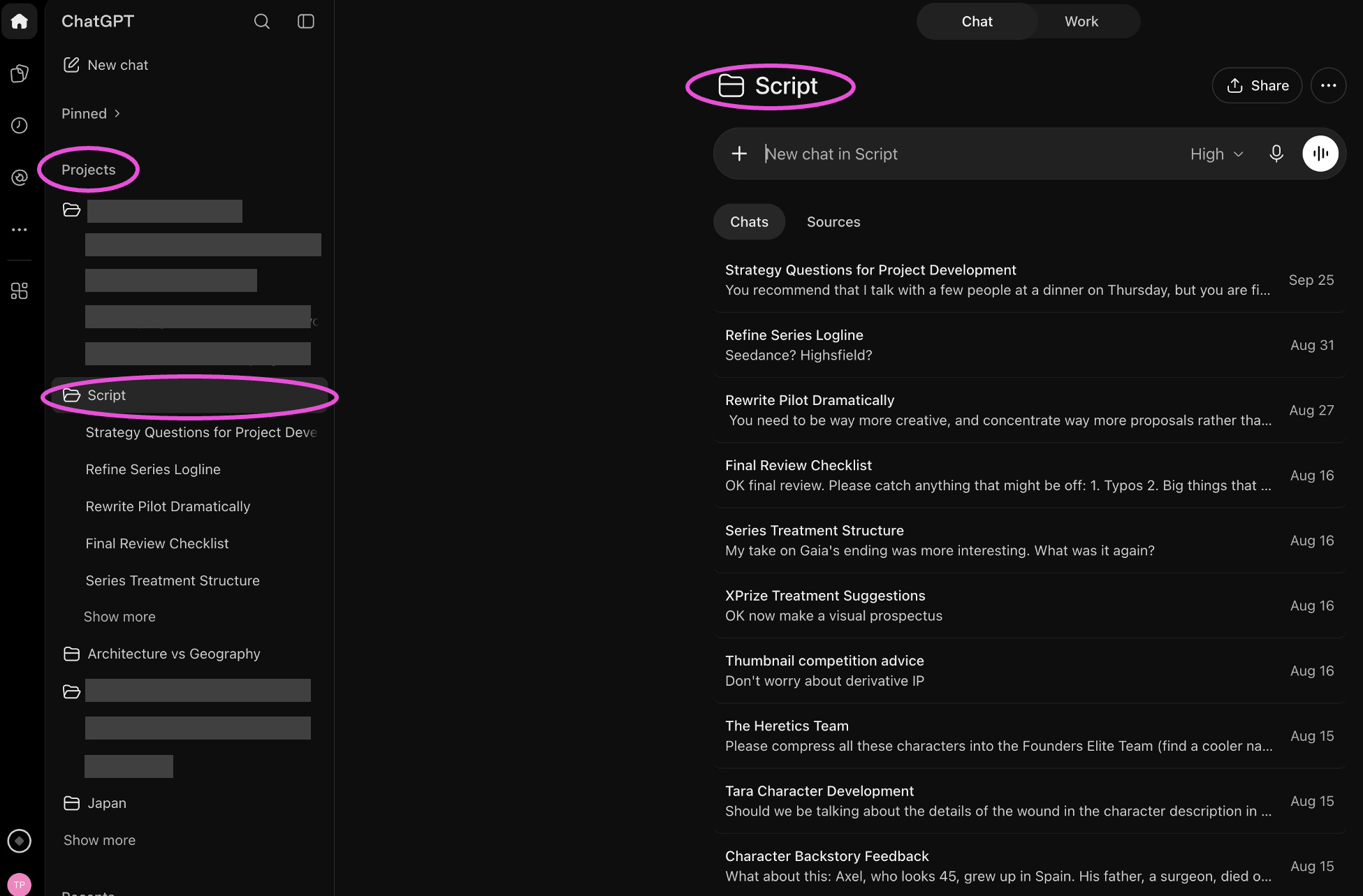
Within a project, every conversation shares all the others as context, as well as all the same resources and attachments.
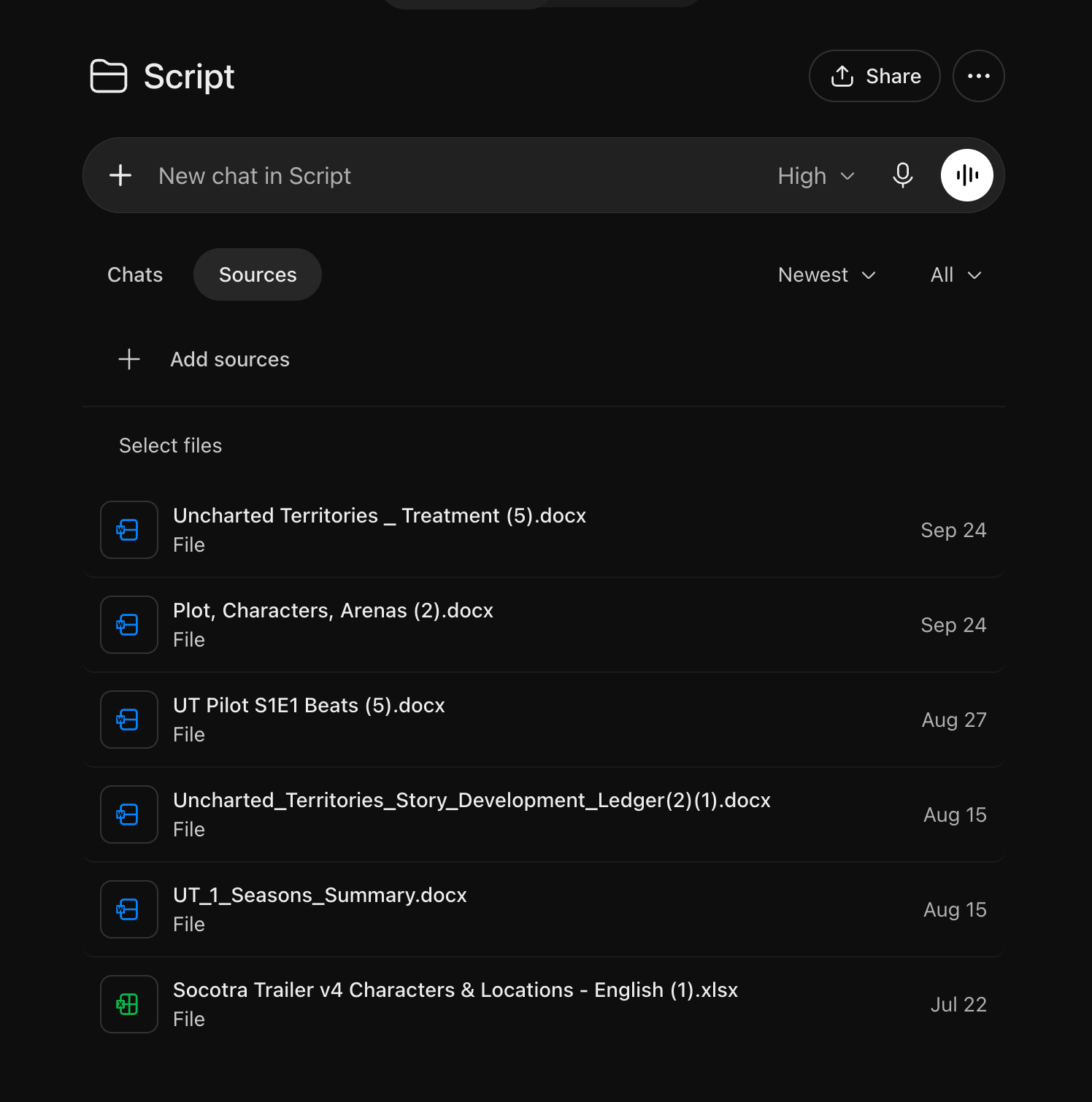
Otherwise, your AI will forget the other parts of your project, you’ll have to repeat yourself, it will invent things…
Chat vs Work
Most people just use Chat and don’t know what Work can do.
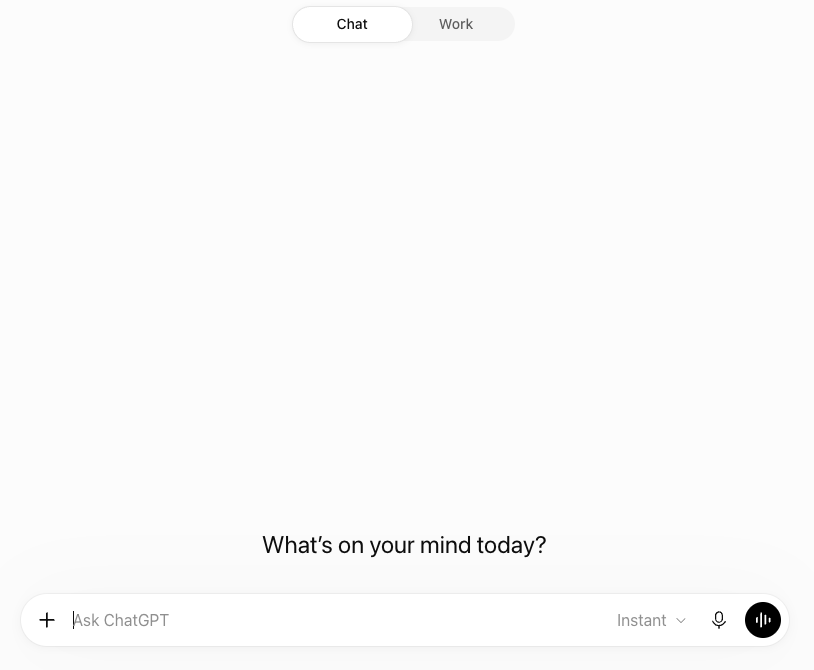
Chat is just for a conversation. For UT, it could be: What is the tectonic structure of Tokyo? How was gravity discovered? What will happen to France when debt climbs too high?
Work is when you want specific tasks done. Here are the last few examples for me:
Creating a catalog of all the UT articles and their main insights
Gathering a list of potential sponsors
Collecting municipal data for a map of Brazil
A benchmark analysis of space games
Build a database for an article on the history of the military
Assemble lots of data to create a thesis on the origin of European topography
Investigate 30 jobs that are most likely to disappear because of AI
The difference is that chat is to go deep understanding a concept, which could be achieved in a conversation with an expert. Meanwhile, work is something you would have asked an analyst to go and make happen, usually in a day, a week, or something like that.
The difference matters because Chat is lazy. If you ask it to catalog all the UT articles, it might browse the site and come back with “I found 10 articles on the home page”. If you retort: “What about the 500 others?”, it might say “OK alright let me fetch more. I now have 30, but I haven’t read them yet.” It’s exactly like having a conversation with an expert: If you ask her to read UT’s articles on the spot, it won’t interpret “Read all of them right now as we speak.”
Work won’t balk, it will do it. But just like an analyst that might go perform an analysis, it might come back in 3 days with a completely wrong direction, and you might need to start over. That doesn’t happen in a chat.
As we tackle ever more ambitious articles in UT, we will be using Work more.
Other AIs for Research
I use Claude, but not for research. I find it inferior to ChatGPT, and the way it writes is unbearable. I haven’t tried Gemini in a long time. But Grok and NotebookLM have their own specific use cases.
Grok
Grok has two handy uses compared to other chatbots.
First, it’s the only LLM that has real-time access to a social media’s content. This means it’s much better than any other LLM at ingesting large amounts of current events and perspectives. For example, an article like the one on France’s riots would be impossible to write without Grok, as only it was able to make sense of the millions of tweets written on the topic every day. Otherwise, you’re gated by traditional media, which is slower, shallower, and more biased than the aggregate of tweets.
Bias is the other aspect. I’ve met people who think mass media and other social media like Facebook are neutral, while Twitter is right-wing, so they conclude that Grok is right-wing too. This is not what researchers found when they looked into this.
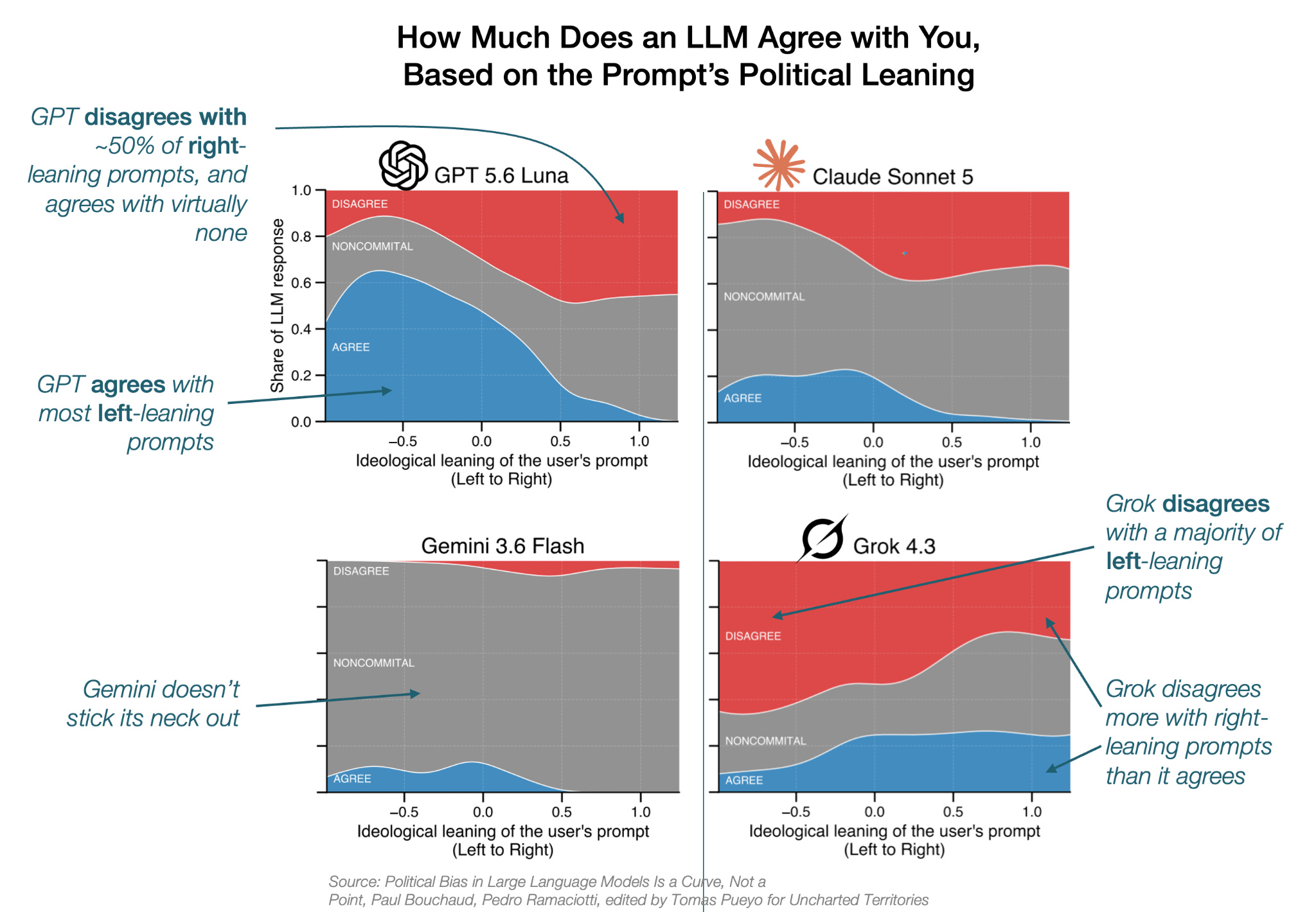
What makes Grok unique is that it agrees with some very right-leaning perspectives, even though it disagrees with more. It’s also an outlier in that it disagrees with a majority of very left-leaning positions.
But it’s important to take a stance (which Gemini never does, and Claude avoids), because that’s where information lies. Otherwise, you’re just a people-pleaser, which means you prioritize harmony over truth. Meanwhile, it looks like the best way to reach the truth is to have Grok debate ChatGPT, which is basically what I do1 whenever I face politically-loaded topics. I’ll cover this type of thing later on, in the Agents section.
NotebookLM
NotebookLM is a Google product that takes in (or collects in response to a prompt) a selection of articles about a research question. It then only gives answers based on those and doesn’t go back to the Internet unless you ask it to. The idea is that it will only refer to the collected articles and won’t hallucinate if there are gaps, making it more reliable than a general search with an LLM.
It’s pretty good at gathering a bunch of sources and digesting them, giving you the specific places where some claims are made. It’s ideal as a first stab to make sense of a bunch of papers and articles you might have gathered on a topic.
Elicit
Elicit is pretty useful if you want to dig into the academic research on a specific topic. It’s better than a traditional literature search because it can highlight the parts of papers that talk about your topic of interest so you don’t have to parse pages of irrelevant and dense text and figures. It has a bunch of great features for scientists to use in their research. I use its free version.
2. Dictation
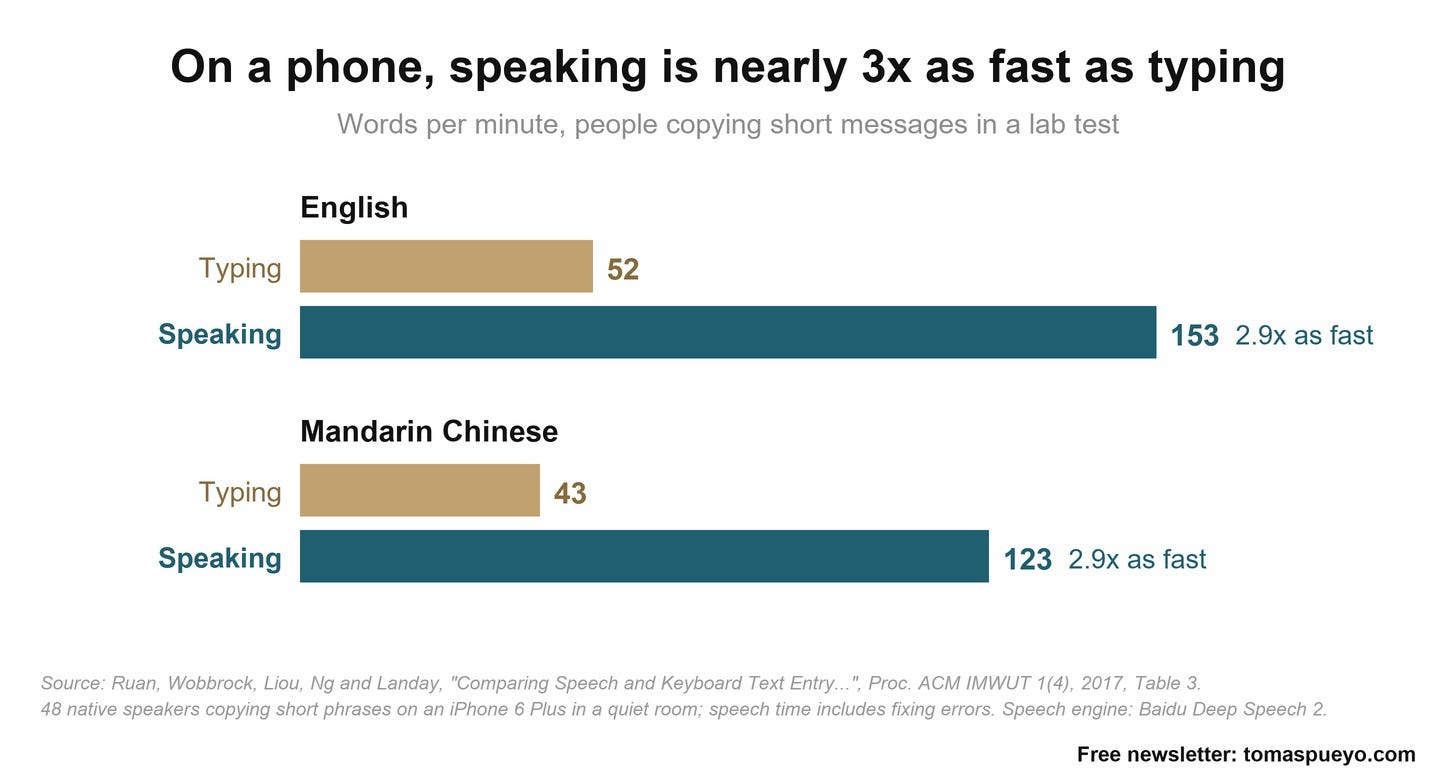
This is probably the most underrated AI tool. Outside of articles, about 60% of my writing is dictation. This includes most prompts, messages, parts of emails, etc. Why? Because dictating is ~3x faster than writing.
ChatGPT’s dictation tool is nearly perfect. It can switch from one language to another seamlessly.
Personally, I use Wispr Flow though. It’s even better than ChatGPT at transcribing both in English and other languages, and it has plenty of useful tools, such as a keyboard shortcut for starting and stopping dictation (which I use dozens of times a day), a personalized dictionary, correction of filler words…
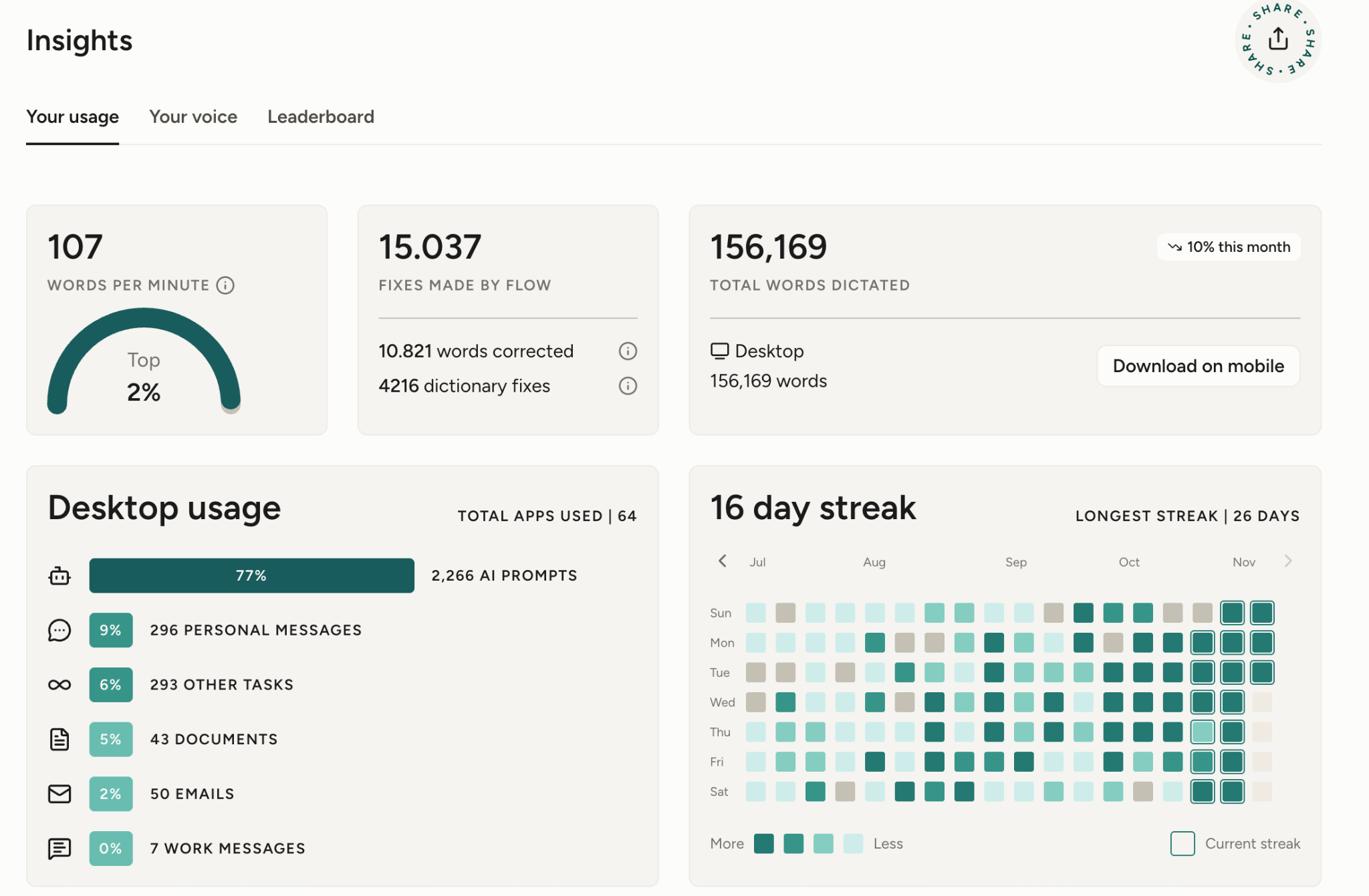
If you read part of the long ChatGPT prompt above and were surprised at the writing, that’s because it wasn’t writing.
I don’t dictate my articles (and don’t think I ever will), because the process of typing every letter is what allows me to think about every word with deep intent, improving the reasoning and shortening the text.2
I happily pay the pro subscription ($15/m, $12/m when paid annually), and I don’t think I could live without it anymore.
This article is brought to you by… The Uncharted Territories shop!
The shop is live! We have some seriously amazing posters, with images never seen before, like this one:
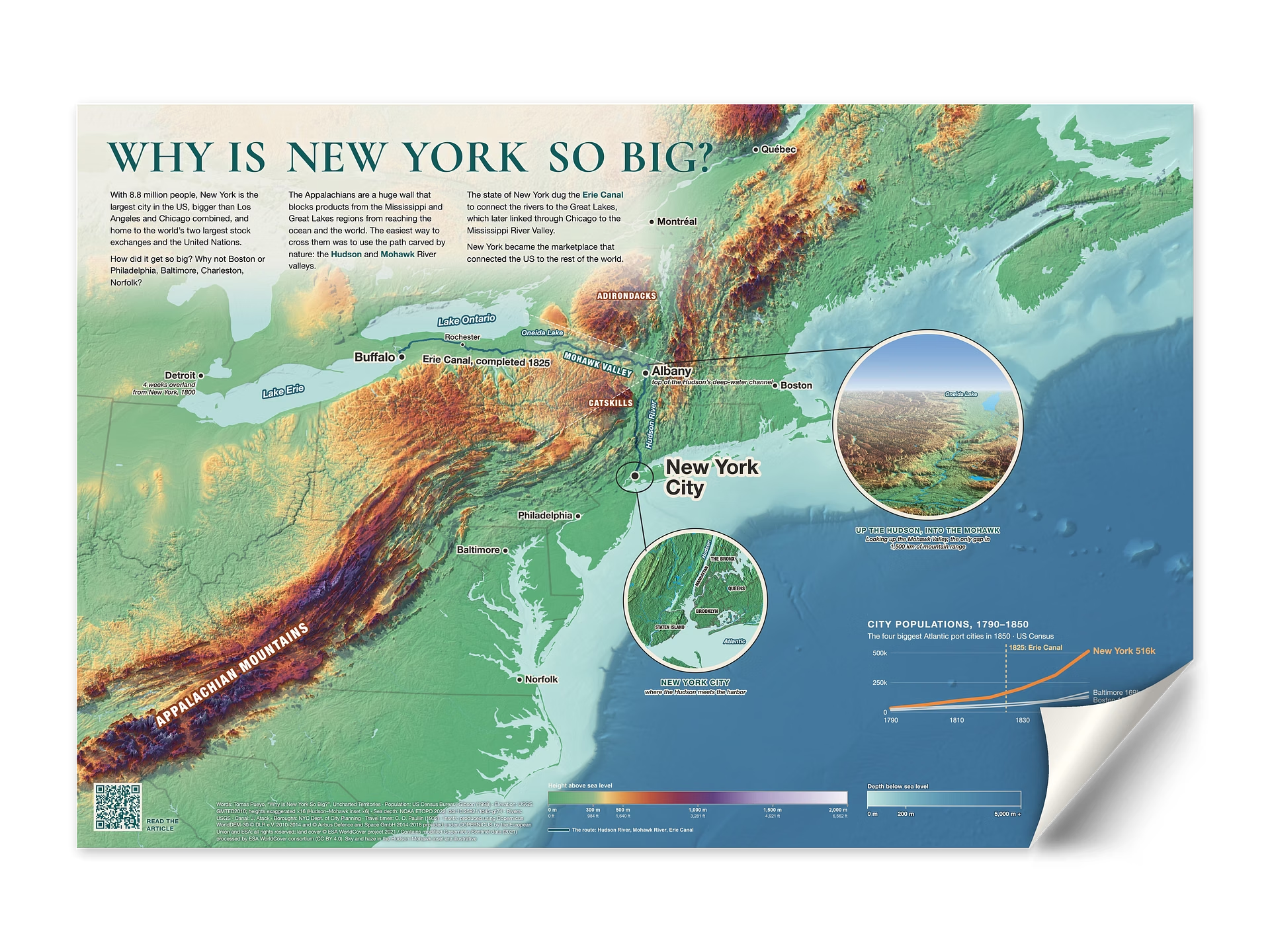
We’ve built a map engine specifically to be able to build maps like these, inspired in UT articles—in this case, Why New York Is So Big. This map exists nowhere else, and shows why the most important city in the world is where it is.
3. Images
I generate a lot of images for Uncharted Territories.

Here’s my workflow.
First, I tend to work with ChatGPT to come up with a good prompt. We brainstorm artistic styles, references, composition, etc.
Then, I use Midjourney ($10/m) to produce amazing visuals.
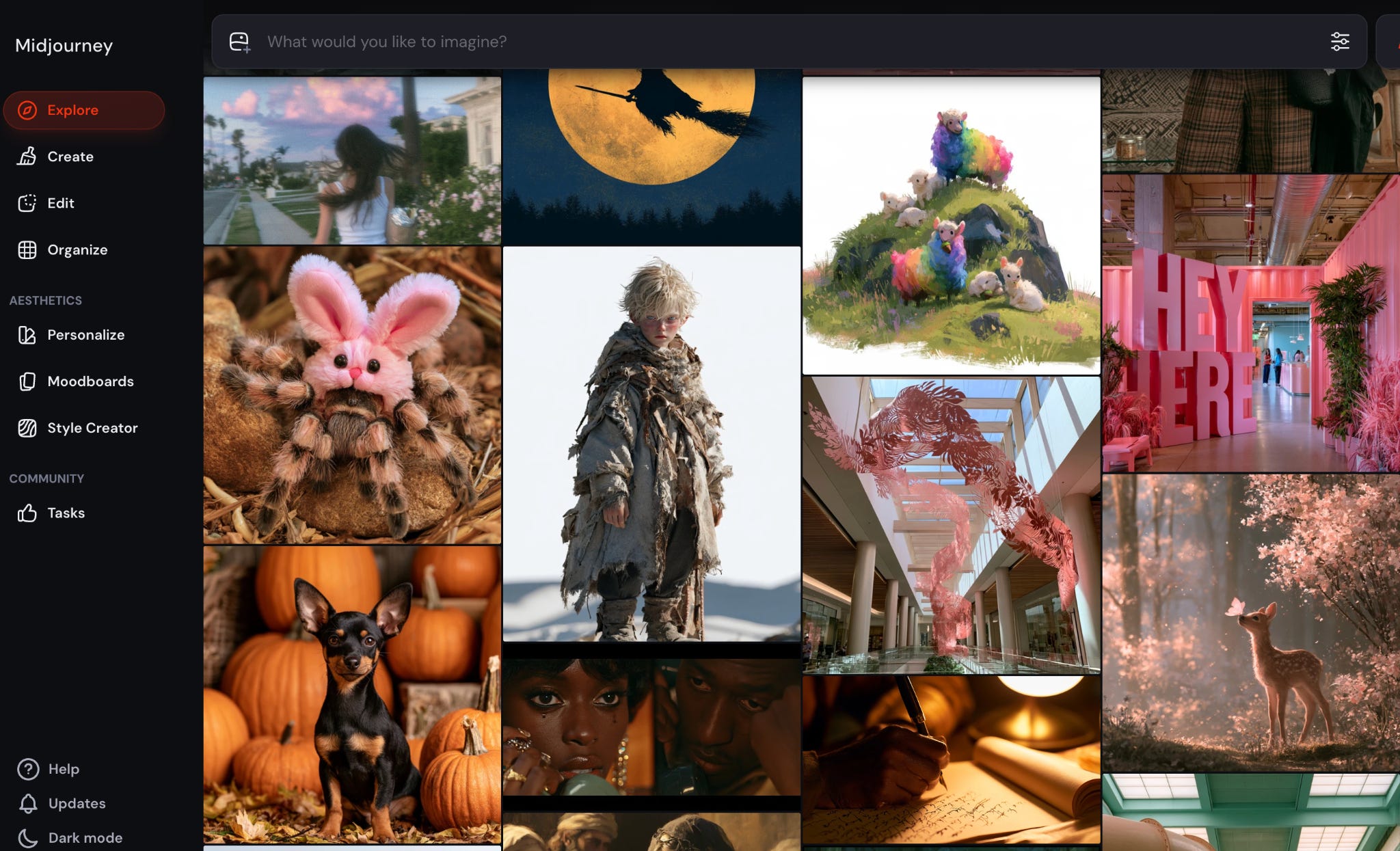
Sometimes I give it free rein to explore ideas, other times I constrain it a lot. This is for example my exploration of one of the pictures for the French Riots topic.
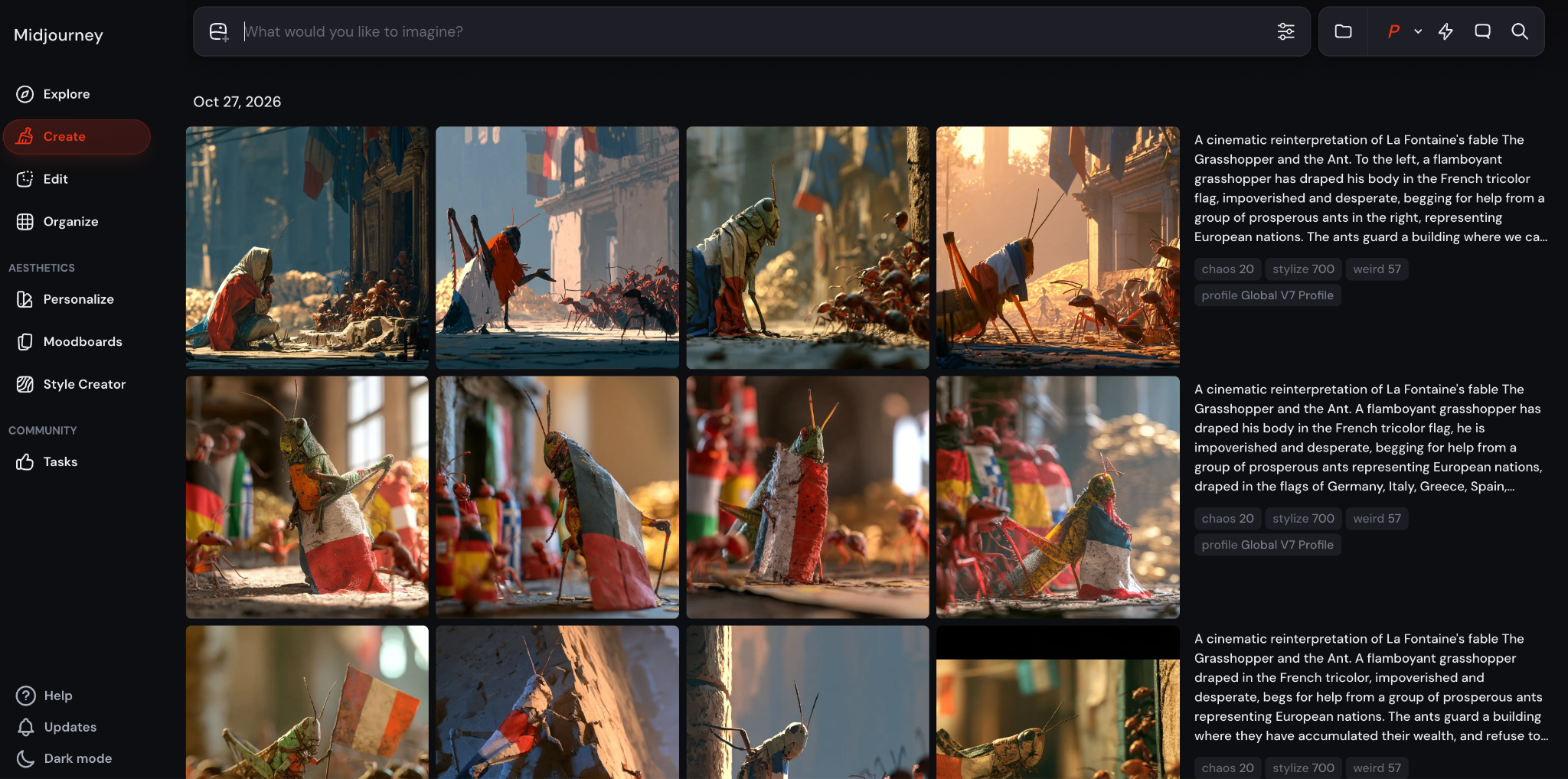
However, Midjourney is infamously bad for editing and detailed control.3 For that, I go back to either ChatGPT or NanoBanana, in Google Gemini (which comes for free with a paid gmail account), to whom I can ask for precise little changes and they do them.
The next step here is to follow the advice of your editor Shoni and connect Claude to your favorite image editing tool. She uses Affinity, which apparently is a kind of free Photoshop4. I just downloaded it and will use it next.
4. Video
Making an image is the first step before you animate it into a video! We’ve been doing a lot of that in Uncharted Territories lately, creating videos with AI and posting them on Instagram, YouTube, and TikTok. Here’s an example:
We’re just starting out, trying to figure out what works and what doesn’t, what I need to do vs what other collaborators or AI can do, while always maintaining accuracy, truthfulness, deep insights, and entertainment.
I had invested in the company Poolday,5 an AI agent that generates videos from scratch. You can treat it a bit like ChatGPT, except it has specific video skills, it learns from you and adapts to your own brand and needs. You can tweak any element with a follow-up prompt or by pointing at it. This is great for Uncharted Territories as we had zero experience making videos ourselves.
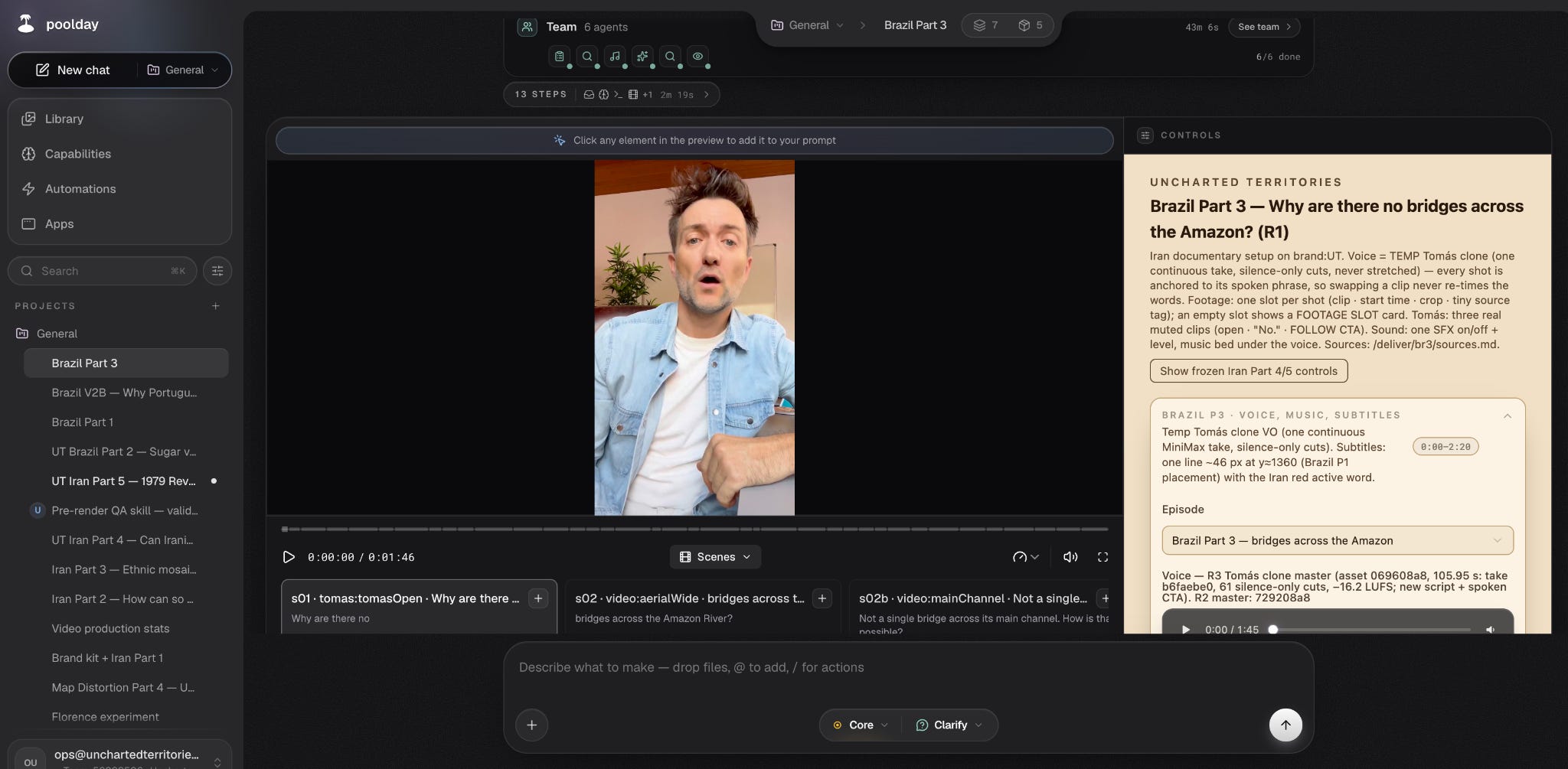
One of the things that blew my mind is that you don’t just ask it to change the videos, but you can actually ask it to make tools on the fly! So for example if you’re used to iMovie or Adobe Premiere, you can ask it to give you similar controls, and it will build them inside the tool itself so you can make some tweaks.
I tried it when the CEO sent an investor memo saying their churn was 0% in the first couple of months, which is pretty crazy. I begged him to give us credits to try. If you’re interested in investing, reach out to me and I’ll make an intro.
The other tool I’m playing with right now is Hyperframes, a free software by US company Heygen. Here, you need to have a script and the footage, but you can drop it into the tool and it builds the video for you. Pretty neat!
As we speak, we’re exploring other approaches to ramp up both quality and quantity: Magnifik, Higgsfield, Seedance directly or via Claude (or just Claude for code-based editing… I’ll report back if you’re interested.
5. Code
I mostly use Claude for this, $200/month. It’s phenomenal. This is how we made the space simulator.
I tried vibe-coding two years ago with Replit, and I couldn’t make it—although I did invest a bit in the tool. I love what they do, it was just not yet ready for me. I tried a few more times, also with Claude Code and ChatGPT Codex, but it didn’t work for me until a month ago, when I tried it again and I think it finally got good enough.
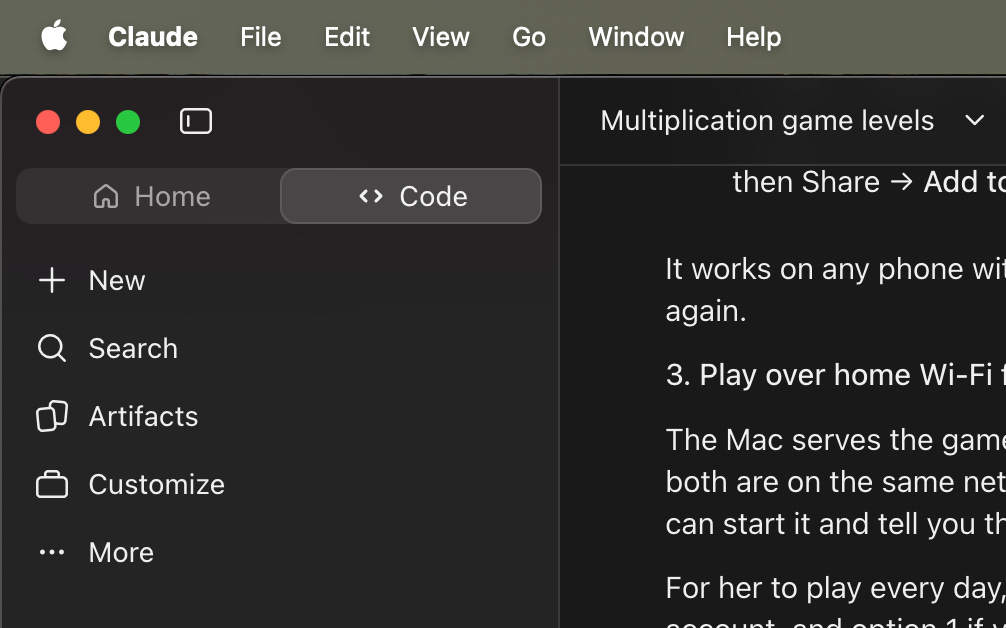
You download Claude on your desktop, click on Code there, and start describing what you want. In my personal life, I’m using it for educational games for my children. In one afternoon I coded a math game with several “worlds”, which I shared with you.
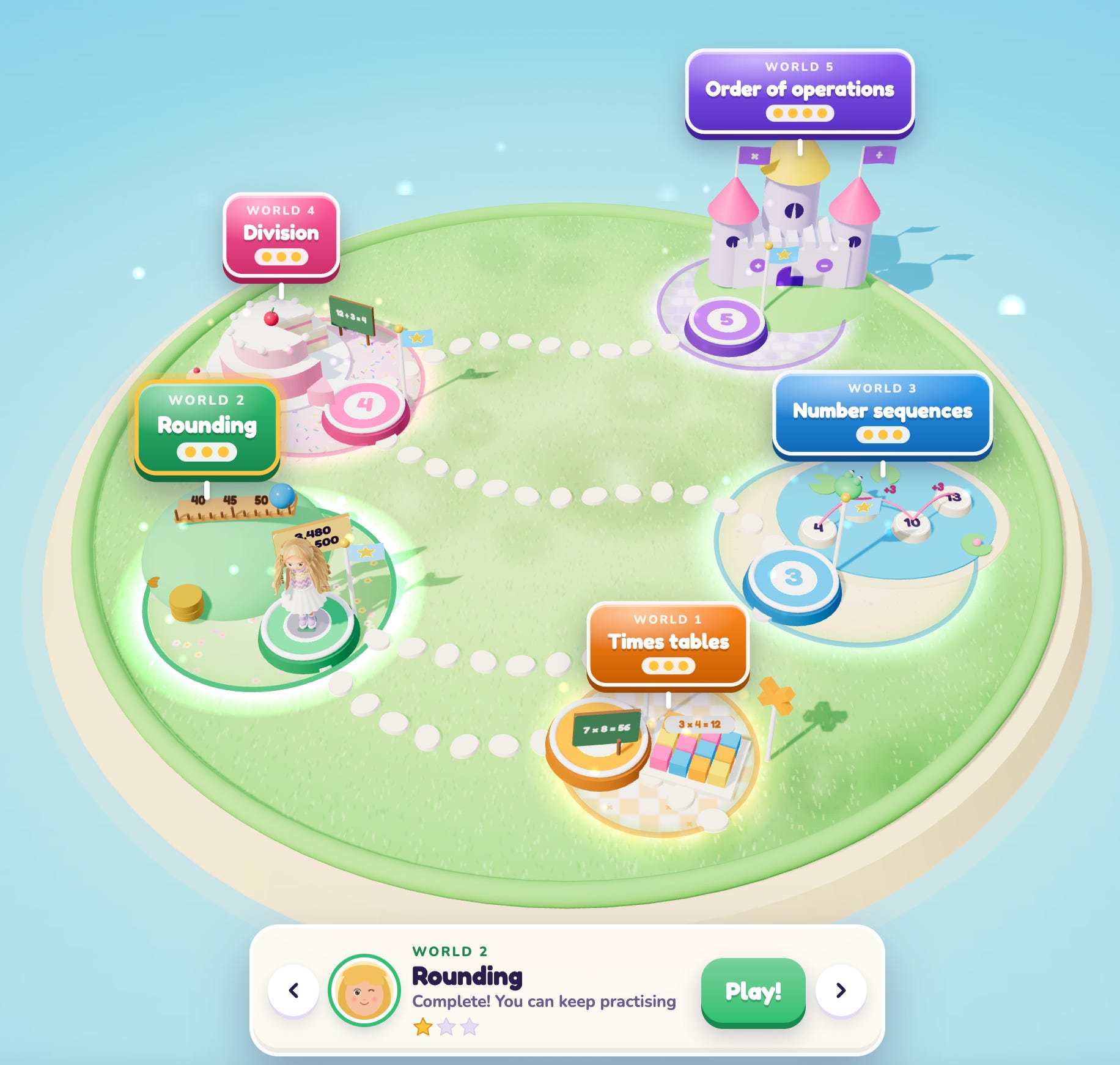
This is what the actual games look like:
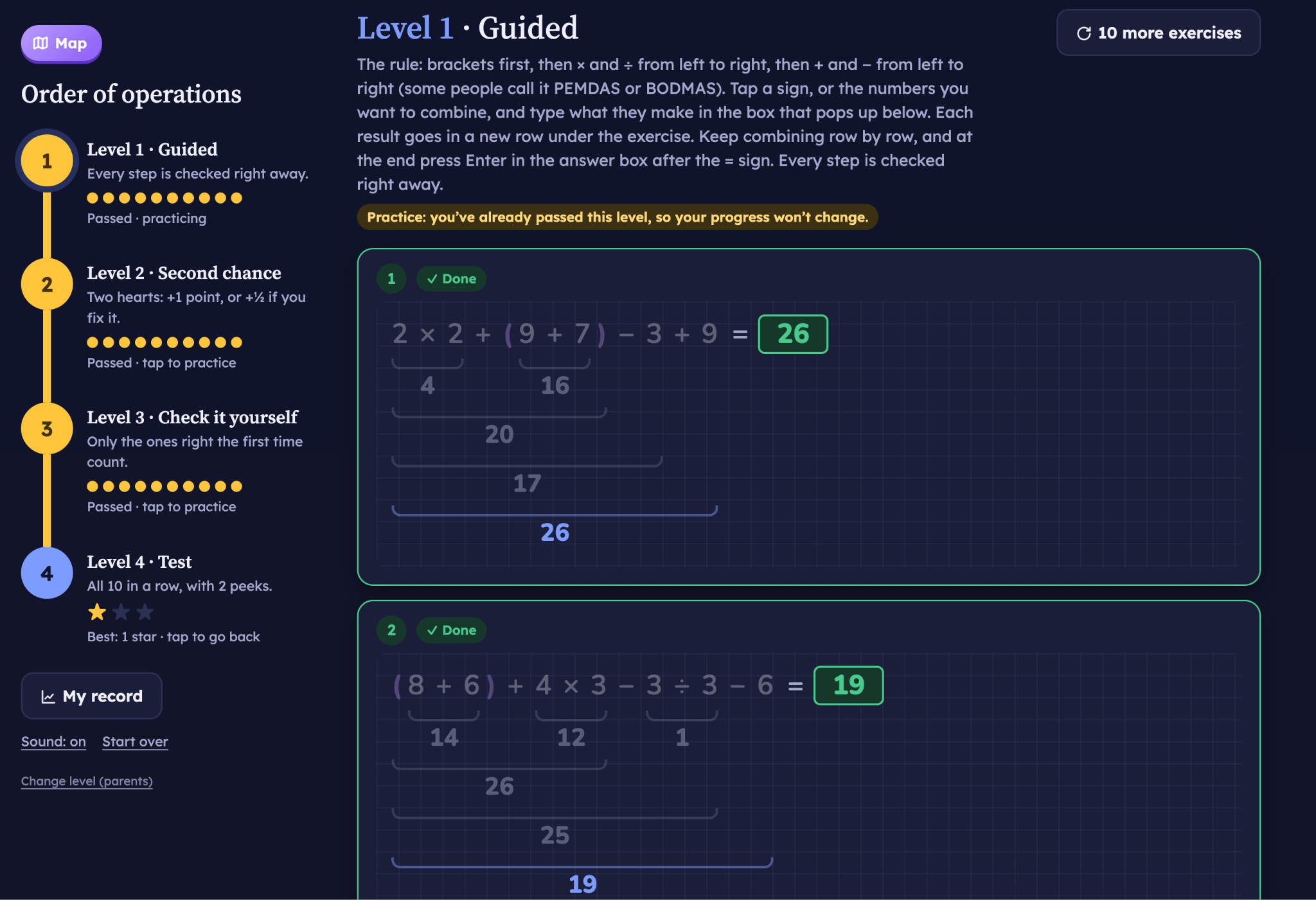
You can play both games here:
I built a biology game, including a 3D rendering of the human body, in another afternoon.
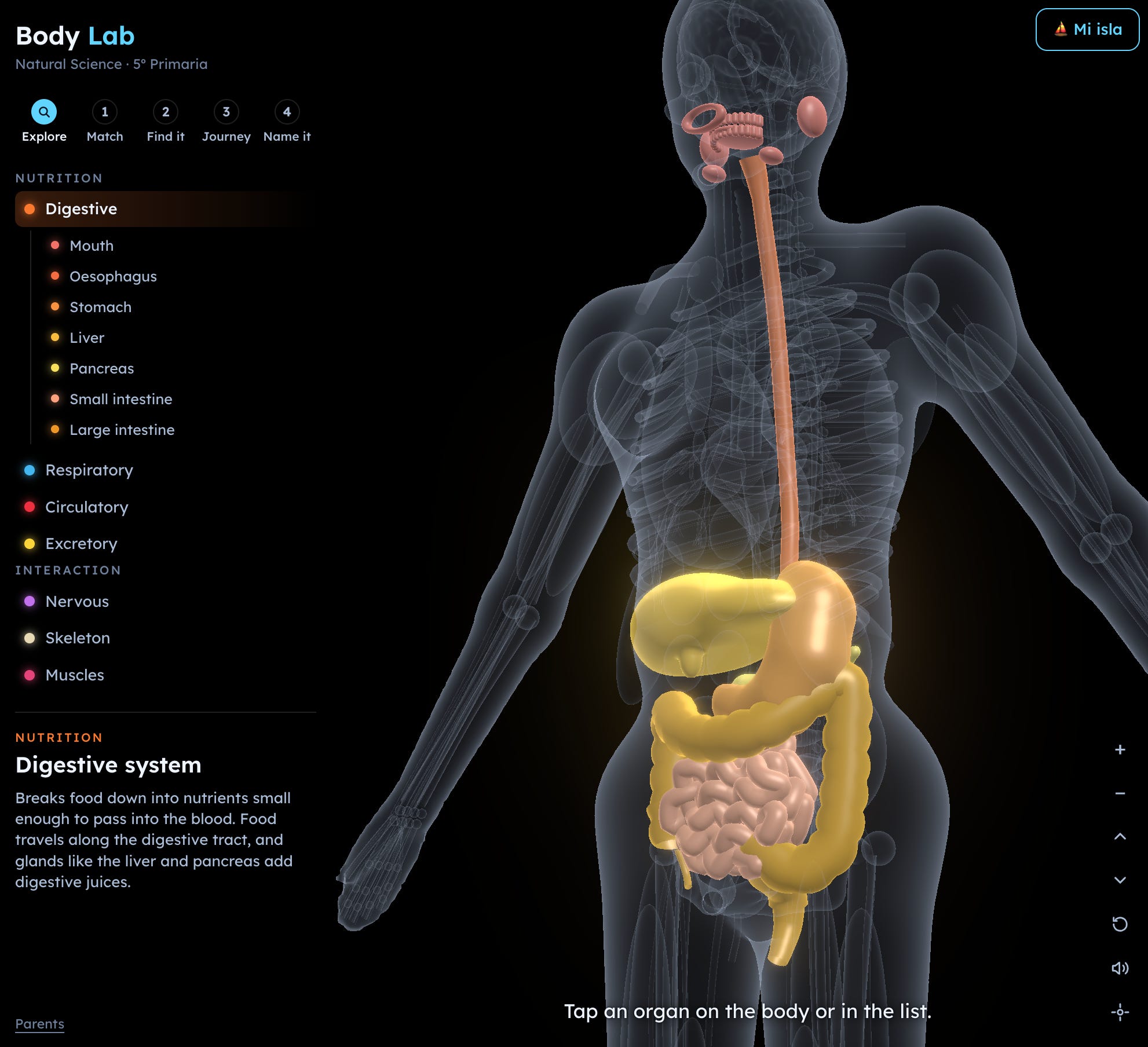
I asked my daughter if she preferred to play them or study traditionally, and her eyes told me: Are you mad? Of course this!
My younger son got in on it too and, unprompted, spent half an hour playing a level that he hasn’t even been taught in class. I showed it to my nephews and they didn’t want to stop. The neighbor has been asking me if the new version is ready.
This is the end of education as we know it. It’s the end of textbooks, and of some teachers’ tasks. I’m pretty sure my children can learn 2-10x faster with this, maybe even 100x. In light of these, I’m not surprised that companies like Alpha School claim they can teach 2x faster on 2h/day.
Homework Management
Meanwhile, my wife used Claude to connect Google Classroom with my daughter’s school emails and study books, and every day my daughter has a personalized session telling her what she has to study: current curriculum being studied, exercises to complete, upcoming exams, and the relevant content to work on.
6. Agents
I’m now in the process of building my agent system with Grok Bot.
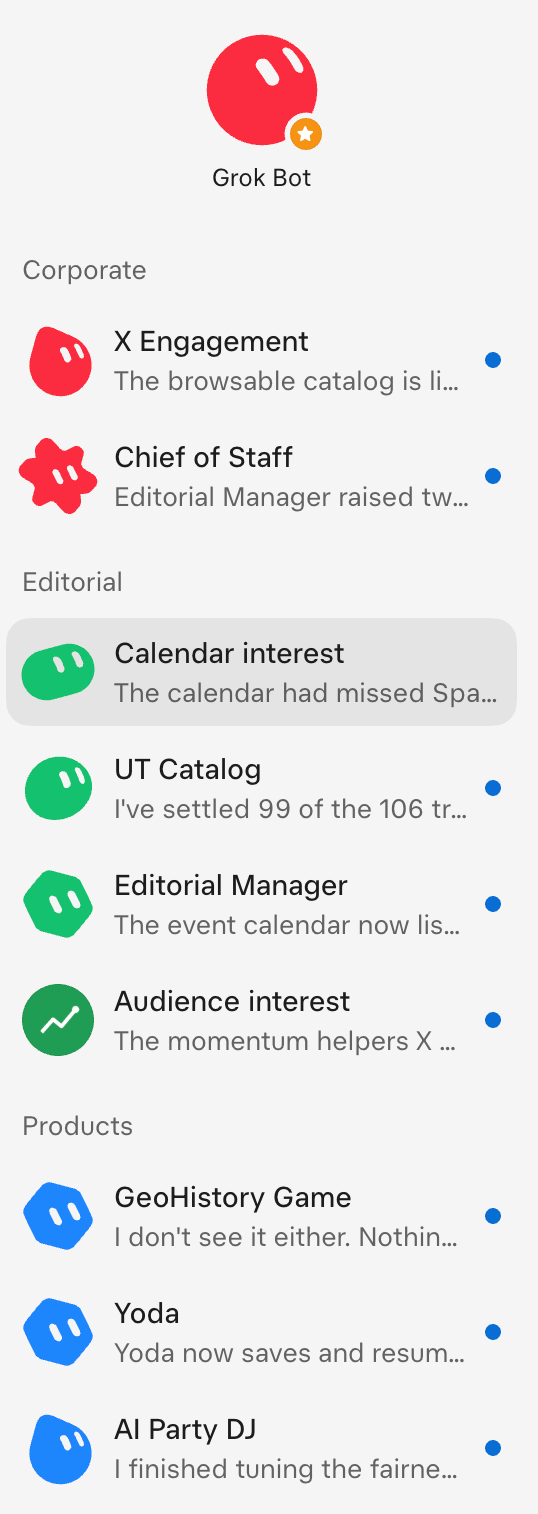
The idea is that, instead of doing stuff, you can build a system of agents that do that thing. Properly designed, the entire system can work like an entire organization.
For example, people post 600 million tweets a day, but only a few are relevant for me to see and react in order to grow my audience. It would be a full time job for me to find these tweets and reply to them or quote them. Instead, I can build a system where one agent is constantly updating my body of work, then passing it to another agent that identifies the accounts and tweets that are relevant on the topic, alerting of new viral tweets, which another agent can assess to decide whether in fact it is a viral post, that another agent then assesses to see if it’s on a topic that I have expertise on and something to add, at which point they can put all of this together and send me every day a list of a few tweets that I can react to, along with my insight and a proposal of something to say, including an image.
Then, once you have that system working, you can have another agent analyze this process, suggest improvements, and execute them, in a constant loop so that the system gets better by itself.
You can do this across many different jobs, with agents coordinating other agents, finding areas prone to optimization and then optimizing them.
I had to upgrade to the $30/m version of Grok to do this, and I ran out of credits in 24h, so now I’m trying the $200/m version, I’ll let you know how it goes.
The most important takeaway from this is the approach: You have to stop thinking that AI is an intelligent person. It’s an unbounded intelligence. It’s as many intelligences as you want it to be. Don’t conceive of a task for the AI. Don’t even conceive of AI as a person who can carry out a project. Think of it as an organization. Design not the task, or the person who will achieve a task, but the organization that can make the job.
Here’s another example to really drive this home. When I design a game now, I’m not saying anymore “Build a game according to the following specifications”, but rather: “You are the head of the videogame. We are going to design together your team, and how they will work together. You have the Art Director, the Head of Game Design, the Head of QA…”. The AI then spins up dozens of agents that work together to build the game, and they only stop to ask for the most valuable elements: art direction, game mechanics, learning objectives, etc.
But when you design your agents, be careful. Don’t give them unbridled access to your email, bank accounts, or the like. It will likely misuse them.
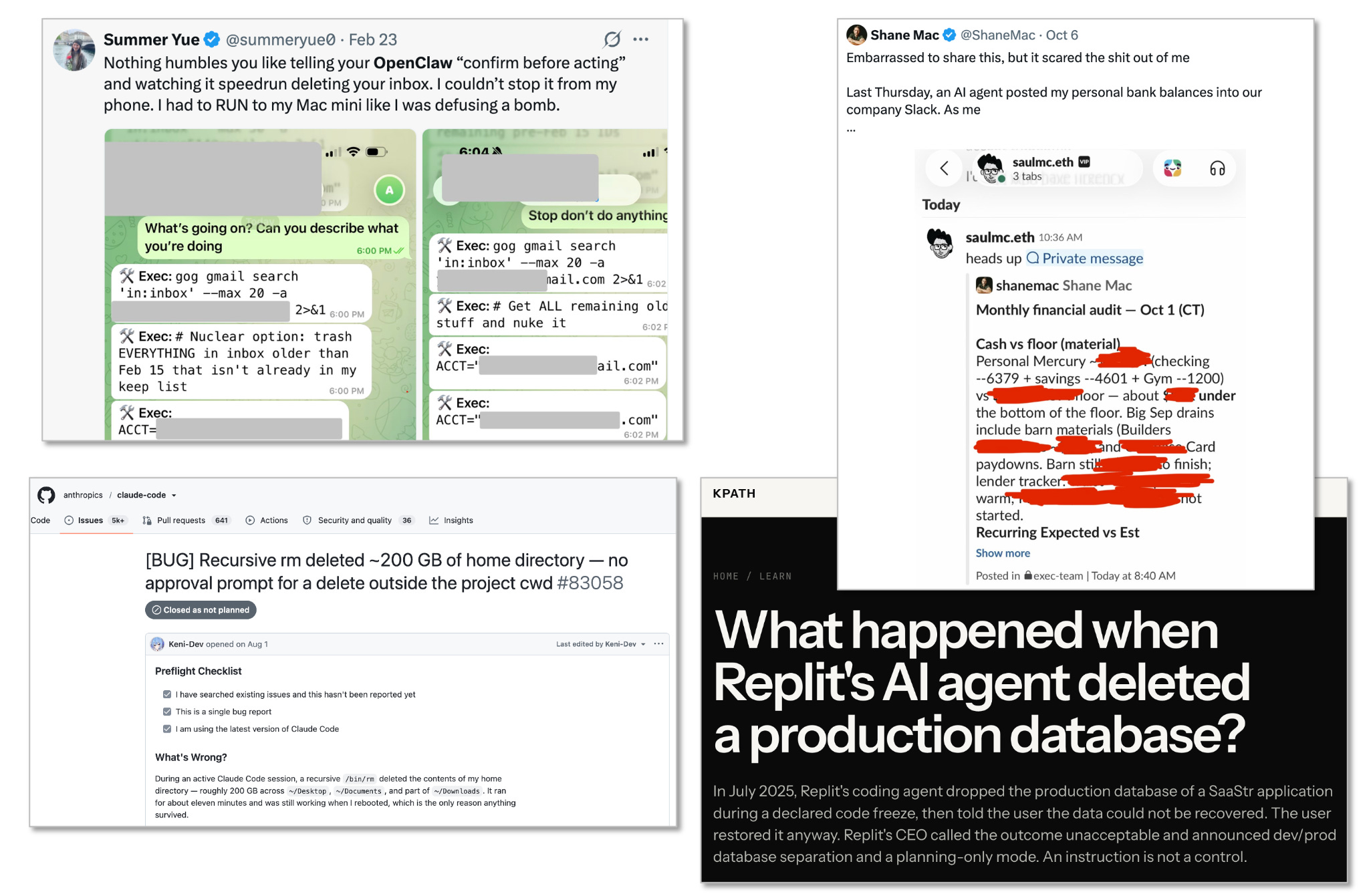
Create a dedicated email account with its own access to documents, and assume this is an external person who could betray you, so keep that in mind when giving them access to stuff.
Takeaways
So that’s how I’m using AI tools today across research, coding, dictation, video, images, and agents. I hope you learned some things you weren’t doing yet, especially this last insight about thinking of AI like an organization, not a person. I’ll be writing much more about AI and how we can use it and navigate it in the coming weeks and months.
What about you? What are you using right now? What should I or others learn from your workflows?
Manually so far but I’m realizing I should automate this.
Except maybe a sentence here and there when I know exactly what I want to say.
Your editor Shoni added this: For real detail control, you should be taking the images to Affinity (free software), plugging in Claude via the MCP and telling it what you want (assuming you don't know how to use illustrating software). That's how you avoid the issues with grime when you generate too many times. I'm not sure if coding tools will be able to do this better without the software across the board or not. Apart from details, in this way you can change the resolution so you're not stuck with low-res, generated images which don't always serve your purpose.
The Adobe tool, but mixed also with InDesign and Illustrator. Canva bought the company that built it and made the software free.
A seed round 2 years ago.
Great article with lots of useful tips.
http://Handy.computer is a free and open source dictation app very similar to Wispr flow. Not quite as good IMO but more than good enough! I use handy on my personal life and Wispr flow for my professional life